Skip to content
ExifTool.net

Inspector: Read-only metadata viewer

Open any photo, PDF, document, audio or video file and read its metadata without changing it.

Nothing here yet — add a file to begin.

How it works

How to inspect file metadata without changing it

Two simple steps. The inspector only reads, so your original file is never modified and never leaves your device.

  1. Step 1

    Upload your file

    Drag a photo, PDF, document, audio or video file into the lab, or tap Choose files to pick one from your device. Every supported format is accepted.
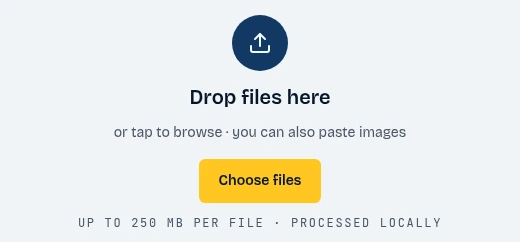
    The ExifTool.net drop zone with the Choose files button highlighted
    1. Click Choose files
  2. Step 2

    Show the data

    The report opens instantly. Browse every field by group, search for a value, flag precise locations on a map link, and check the privacy exposure score.
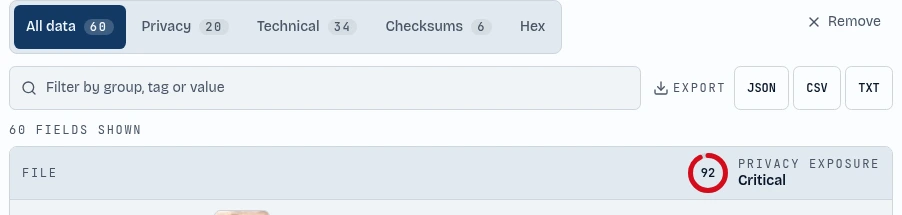
    The metadata report tabs and the privacy exposure score highlighted
    1. Browse every field
    2. See your privacy score
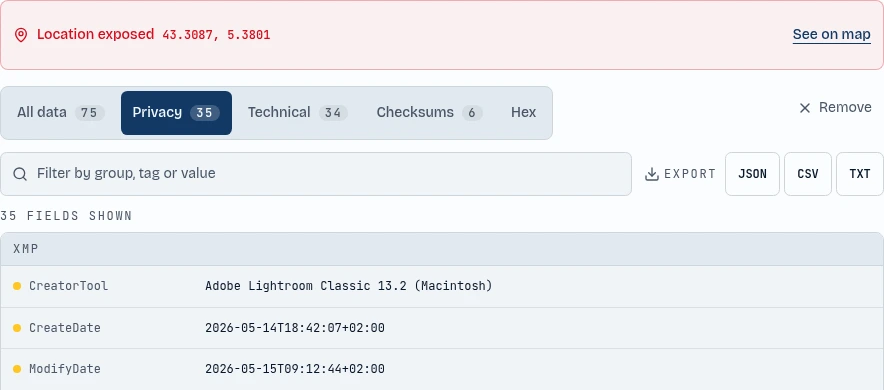
    The location alert and the Privacy tab of the report showing the fields that expose personal details
    1. Location alert
    2. Privacy tab

About the tool

Read-only online metadata inspector

The inspector is a read-only view of everything hidden inside a file. It reads EXIF, XMP, IPTC, ID3, QuickTime and PDF metadata and shows it in one searchable report, without changing a single byte of the original.

Use it to audit a file before you share it, to check what a download really contains, or to compare a file before and after cleaning. A privacy score and a map link for GPS locations make the risky fields easy to spot.

Because the file is read locally with JavaScript, nothing is uploaded to a server. When you want to act on what you found, switch to the matching tool to clean or edit the file.

Features

Features of ExifTool.net

Everything you need to view, edit and remove metadata, in one private workspace.

Reads every supported format

Images, PDFs, Office documents, audio and video files are all handled in the same report.

Never modifies the original

The inspector only reads. Your file stays exactly as it was, so it is safe to open sensitive files.

GPS location and map link

Spot precise coordinates instantly and open them on a map to see exactly where a file was created.

Checksums and hex view

Compare hashes and inspect the raw bytes of the file header and footer for a deeper check.

Export reports

Download the full metadata report as JSON, CSV or TXT, or copy individual values straight to your clipboard.

Privacy exposure score

Every file gets a simple score from none to critical, so you know at a glance which files are risky to share.

100% private, no uploads

All parsing and cleaning runs in your browser tab. Your files never touch a server, and there is no account or sign-up.

FAQ

Does the inspector change my file?

No. The inspector is read-only. It parses the metadata and shows a report, and the original file is never modified.

Which files can I inspect?

JPG, PNG, WebP, PDF, DOCX, XLSX, PPTX, ODT, ODS, ODP, MP3, WAV, FLAC, OGG, M4A, MP4, MOV and many more formats.

How is the privacy score calculated?

The score looks at the fields found in the file, such as GPS location, serial numbers, author names and timestamps, and rates the exposure from none to critical.

Can I export the report?

Yes. Download the full report as JSON, CSV or TXT, or copy any single value to your clipboard.

Is my file uploaded anywhere?

No. ExifTool.net processes everything locally with JavaScript in your browser. Your files never leave your device.