Skip to content
ExifTool.net

Online Audio Metadata Viewer, Remover and Editor

Podcasts, voice memos, music. ID3v1, ID3v2, APEv2, cover art, encoder tags.

Nothing here yet — add a file to begin.

How it works

How to view and remove audio metadata

Four simple steps. Everything runs in your browser, so your recordings never leave your device.

  1. Step 1

    Upload your file

    Drag an MP3, WAV, FLAC, M4A or other audio file into the lab, or tap Choose files to pick one from your device. Podcasts, voice memos and music work the same way.
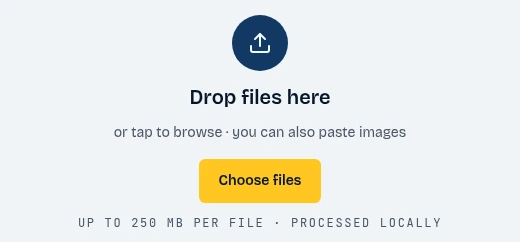
    The ExifTool.net drop zone with the Choose files button highlighted
    1. Click Choose files
  2. Step 2

    Show the data

    The report opens instantly. Browse the ID3, APE and Vorbis tags, the cover art and the encoder details, and check the privacy exposure score.
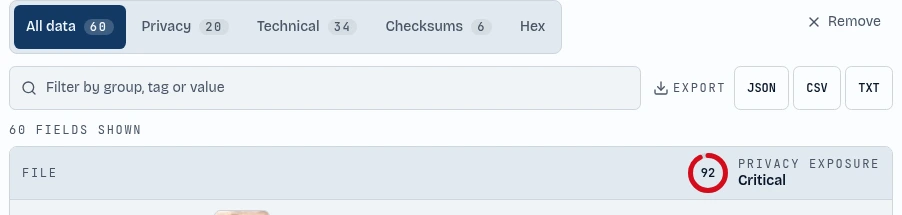
    The metadata report tabs and the privacy exposure score highlighted
    1. Browse every field
    2. See your privacy score
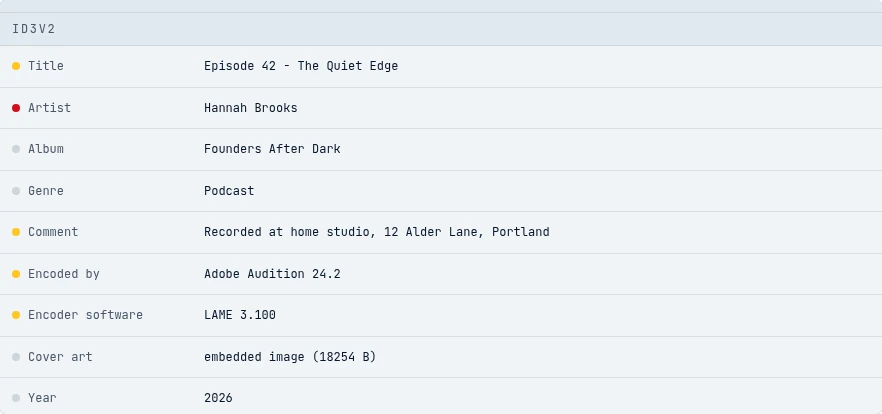
    The ID3v2 group in the metadata report listing the title, artist, comment, encoder and embedded cover art
    1. ID3v2
  3. Step 3

    Remove metadata

    Press Clean file and the artist, album and comment tags, cover art and encoder signatures are stripped in one tap. The tool then verifies that no fields remain.

    The Clean file button highlighted below the fields found counter
    1. Strip all metadata
  4. Step 4

    Metadata editor

    Want to keep some details? Press Edit, change the title, artist, album or comment, and save the file with your own values.
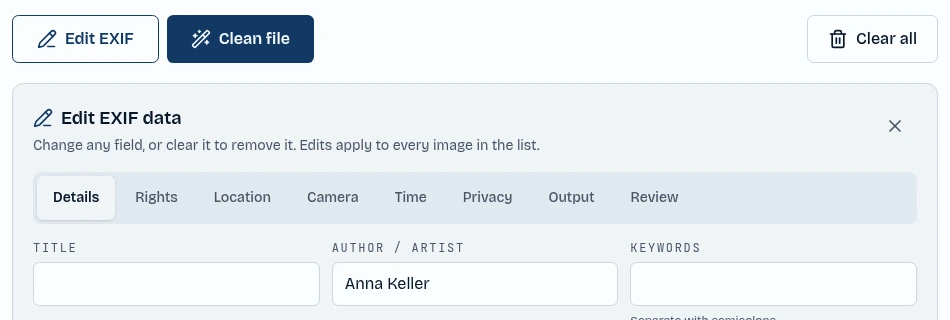
    The Edit EXIF button and the author field in the editor highlighted
    1. Open the editor
    2. Type a new value

About the tool

Online audio metadata viewer and remover

Audio files store far more than sound. ID3v1 and ID3v2 tags in MP3 files, APEv2 tags and Vorbis comments hold the artist, album, genre and free-form comments. Embedded cover art, encoder signatures and unique-ID frames can reveal the software, the device and sometimes the person who made the recording.

ExifTool.net reads all of this directly in your browser. Open an MP3, WAV, FLAC, OGG, Opus, AAC, M4A, AIFF, WMA or any of the other supported formats and you get a complete, searchable report with a privacy score.

Because the audio is processed locally with JavaScript, nothing is uploaded to a server. That makes it safe to check voice memos, interviews and unreleased tracks before you share them.

Features

Features of ExifTool.net

Everything you need to view, edit and remove metadata, in one private workspace.

View ID3, APE and Vorbis tags

See every artist, album, comment and custom tag in a filterable report with privacy, technical and checksum views.

Remove cover art and encoder data

Strip embedded cover art, encoder signatures, private frames and unique IDs, then verify the cleaned file is really clean.

Edit audio tags

Change the title, artist, album, genre and comment, or clear any tag you do not want to share.

Wide format support

Works with MP3, WAV, FLAC, OGG, Opus, AAC, M4A, AIFF, WMA, MKA, CAF, AU and many more audio formats.

Privacy exposure score

Every file gets a simple score from none to critical, so you know at a glance which files are risky to share.

100% private, no uploads

All parsing and cleaning runs in your browser tab. Your files never touch a server, and there is no account or sign-up.

Batch processing and ZIP export

Drop many files at once, clean or edit them together, and download everything as a single ZIP archive.

FAQ

What metadata is stored in audio files?

Audio files can contain ID3v1 and ID3v2 tags, APEv2 tags or Vorbis comments with artist, album and comment fields, plus embedded cover art, encoder signatures and unique-ID frames.

Does cleaning change how the audio sounds?

No. Only the tags are removed. The audio data is left exactly as it was, so there is no loss of quality.

Which audio formats are supported?

MP3, WAV, FLAC, OGG, Opus, AAC, M4A, AIFF, WMA, MKA, CAF, AU, DSF, APE, WV and more.

Can I remove the embedded cover art?

Yes. Press Clean file to remove the cover art together with every other tag, or use the editor to clear just the fields you choose.

Is my audio uploaded anywhere?

No. ExifTool.net processes everything locally with JavaScript in your browser. Your recordings never leave your device.