How it works
How to view and remove EXIF data from photos
Four simple steps. Everything runs in your browser, so your photos never leave your device.
Step 1
Upload your file
Drag a JPG, PNG, WebP, GIF, BMP, AVIF or TIFF photo into the lab, or tap Choose files to pick one from your device. You can also paste an image straight from your clipboard.

- Click Choose files
Step 2
Show the data
The report opens instantly. Browse EXIF, XMP and IPTC fields by group, spot GPS coordinates and camera serial numbers, and check the privacy exposure score.
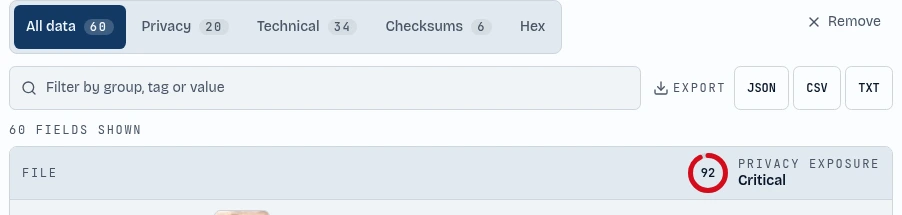
- Browse every field
- See your privacy score
Step 3
Remove metadata
Press Clean file and the EXIF, GPS, XMP, IPTC and thumbnail data is stripped in one tap. The tool then verifies that no fields remain, so you can post the photo safely.

- Strip all metadata
Step 4
Metadata editor
Want to keep some details? Press Edit EXIF, change the author, copyright, camera, date or GPS position, and save the photo with your own values.
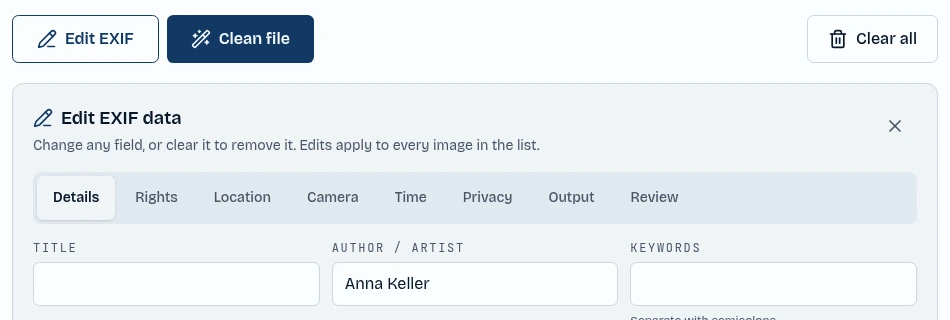
- Open the editor
- Type a new value